 |
| 

| | | |
|
To open the Anomaly Trends graph, go to and select  .
.
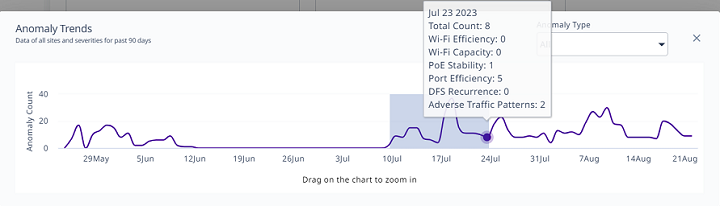
Mouse over a bar in the timeline to see the date and types of anomalies identified for that day.
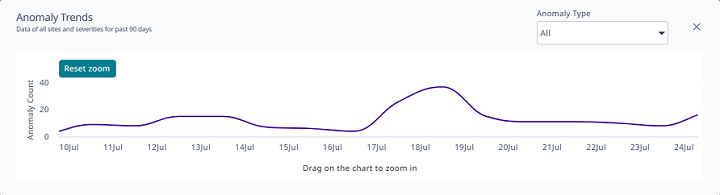
View all anomalies (default) or select a specific Anomaly Type from the menu. You can drag along the graph to zoom in on a time period, and then select Reset Zoom to zoom back out.
Copyright © 2026 Extreme Networks. All rights reserved. Published February 17, 2026.