 |
| 

| | | |
|
To open the Connectivity Experiences panel for a site, select the site. Mouse over a point on the graph to display the following metrics at that time:
To zoom in, drag and select a time period on the Quality Index graph.
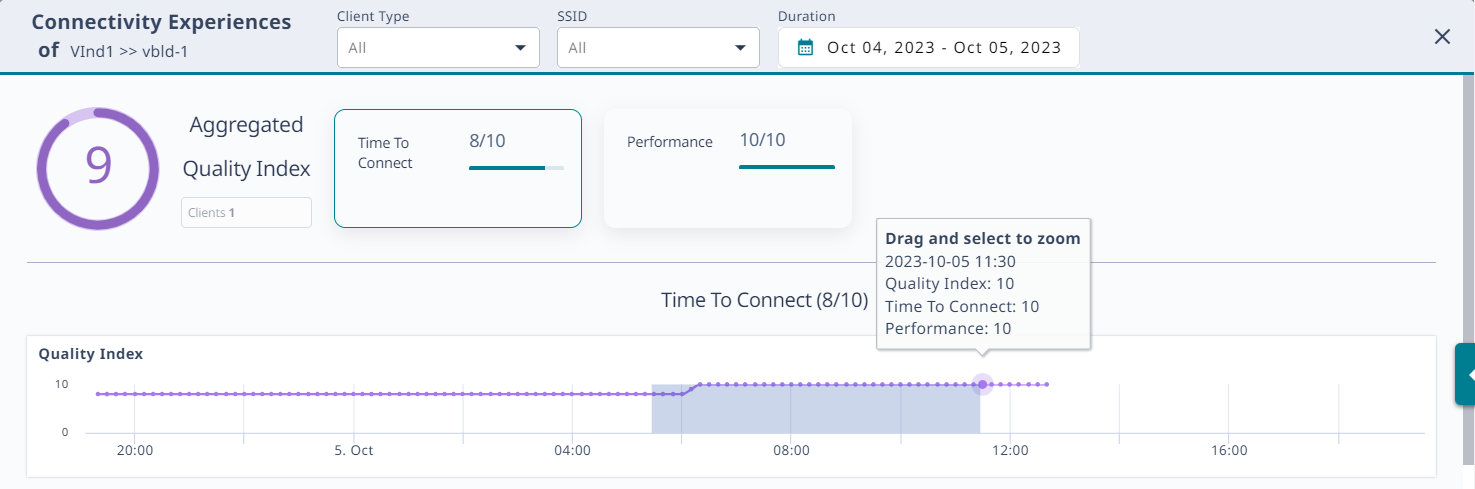
Your selection and the zoom function apply to all graphs that appear on the site Connectivity Experiences panel.

To see the number of unique clients at a particular time, mouse over a point in the Client Count graph.

Copyright © 2026 Extreme Networks. All rights reserved. Published February 17, 2026.