|
Home
>
Manage
>
Reports
> Time Range for Reports
Time Range for Reports
Report Time Range
When generating reports, multiple options exist at the top of the page for you to select the time range for the desired report:
Time Range
drop-down menu - Select from Day, Week, or Custom.
Selection Buttons - Provide context-sensitive options based on your selection from the
Time Range
drop-down menu.
Day - 1, 2, 4, 8 or 24 hours
Week - 1, 2, or 7 days
When you select the
Custom
option in the
Time Range
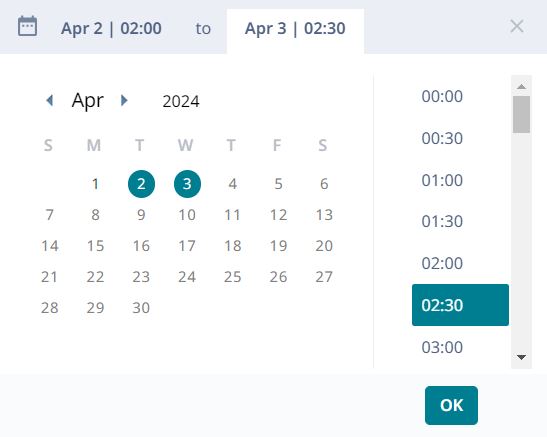
drop-down menu a calendar opens on the screen.
Time Range Calendar
To create a custom time range, select the dates and times, broken down into 30-minute segments.
Reports
Copyright © 2026 Extreme Networks. All rights reserved. Published February 17, 2026.
 |
|